
Google Business Profile Setup Services
Your business should be easy for potential customers to find when they search on Google. A properly configured Google Business Profile helps customers discover your business on Google Search and Google Maps, review important business information, and decide how to contact you.
However, creating a business listing involves more than entering a business name and address. You need to select the correct business type, provide accurate information, choose relevant categories, configure your location or service area, and complete Google’s verification process when required.
MapRepute provides Google Business Profile setup services to help eligible businesses create and configure their Google Maps business listings correctly. We guide you through the setup process, organize essential business information, and help ensure that your profile reflects your real-world business.
Whether you operate a local storefront, a professional service business, or a company that visits customers at their locations, our team can help you establish your business presence on Google.
Get professional help with your Google Maps listing setup. Contact MapRepute to discuss your business and setup requirements.
[Get Started] [Contact Our Team]Why Does Your Business Need a Google Business Profile?
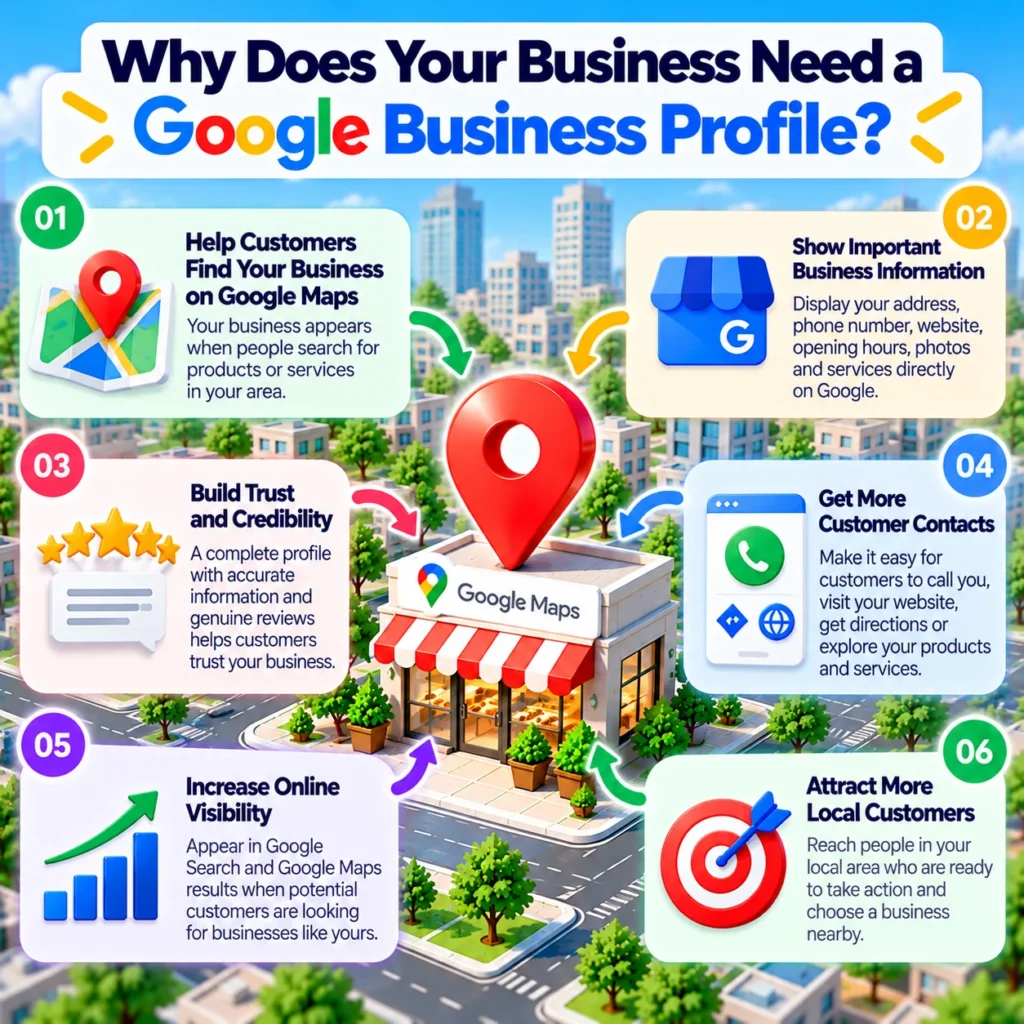
When people search for a business, product, or service in a particular area, Google may display relevant business information in Search and Maps.
A Google Business Profile gives eligible businesses a way to manage how their information appears across these platforms. Customers can find essential details such as business hours, contact information, location, website, photos, and customer reviews.
Without a properly established profile, potential customers may have difficulty finding accurate information about your business.
Help Customers Find Your Business on Google Maps
A Google Business Profile allows your business to appear on Google Maps when it is eligible and the information is published.
Customers can search for your business by name or discover relevant businesses while looking for products and services in a particular area.
The information displayed on your profile helps customers understand where your business operates and whether it meets their needs.
Make Important Business Information Accessible
Customers often want to confirm basic information before contacting a business or visiting a location.
Your Google Business Profile can display:
- Official business name
- Business address or service area
- Business phone number
- Website
- Opening hours
- Business category
- Photos and videos
- Products and services, where supported
- Customer reviews
Keeping these details accurate makes it easier for customers to understand your business and contact you.
Build a More Credible Business Presence
A complete and accurate profile gives customers useful information about the business they are considering.
Photos, business descriptions, operating hours, and genuine customer reviews can help people evaluate whether your business is appropriate for their needs.
A Google Business Profile does not automatically guarantee customer trust, but accurate information and professional presentation provide a better starting point for building it.
Give Customers More Ways to Contact You
Depending on the available features and business category, customers may be able to:
- Call your business
- Visit your website
- Request directions
- View business photos
- Read customer reviews
- Explore available products or services
These features help connect your business information with actions that potential customers may want to take.
What Is Included in Our Google Business Profile Setup Service?

MapRepute approaches business listing creation as a structured setup process. We focus on the essential information and configuration needed to establish a suitable Google Business Profile.
1. Business Eligibility Assessment
Before creating a new listing, we review whether the business appears to meet Google’s eligibility requirements.
Not every company or organization can create a Google Business Profile. Google generally requires eligible businesses to interact with customers in person during their stated business hours.
This includes businesses with physical locations that customers can visit and service-area businesses that travel to customers.
During the initial assessment, we review:
- Your actual business activities
- Whether customers visit your location
- Whether your business travels to customers
- Your physical business location
- Existing Google Maps listings
- Whether the requested business representation follows Google’s guidelines
This step helps identify potential problems before the profile creation process begins.
If a business does not meet Google’s eligibility requirements, we will explain the issue rather than recommend creating a profile that may violate Google’s policies.
2. Existing Google Maps Listing Check
Creating a new profile is not always the correct solution.
A business may already have a Google Business Profile that has not been claimed, has not been verified, or is managed by another account.
Creating another listing without checking the existing presence can lead to duplicate profiles and ownership complications.
Our setup process includes checking whether an existing listing may already represent your business.
Depending on what we find, the appropriate next step may be:
- Creating a new profile if no existing profile represents the business
- Claiming an existing unverified profile
- Requesting ownership when another person controls the profile
- Reviewing a duplicate listing issue before proceeding
Our objective is to establish the correct business presence rather than create unnecessary additional listings.
If someone else has already verified your business profile, you may need to follow Google’s ownership request process instead of creating a new listing. Read our guide on how to request ownership of a Google Business Profile.
3. Google Business Profile Creation
Once the business has passed the initial assessment, we help establish the profile using the appropriate business information.
This includes preparing the basic details required for the listing, such as:
- Business name
- Primary business category
- Business address or service-area configuration
- Business phone number
- Website URL
- Business operating hours
- Other relevant business details
We use the actual business information supplied and confirmed by the owner.
The business name should reflect the name used consistently in the real world. It should not be expanded with additional keywords, promotional phrases, or location terms simply to influence search visibility.
Correct information at the beginning helps establish a more reliable foundation for managing the profile.
4. Business Category Selection
Business categories help Google understand what your business offers and which searches may be relevant to it.
Selecting the appropriate primary category is therefore an important part of the setup process.
We review your main business activity and identify a suitable category based on the services or products you actually provide.
Our category selection process considers:
- Your primary business activity
- The products or services customers purchase
- How your business operates
- Available Google categories
- The distinction between your main activity and additional services
Where appropriate, relevant secondary categories may also be considered.
We do not recommend adding unrelated categories or using categories simply as keyword placements. The selected categories should accurately describe the business.
5. Business Address and Location Configuration
The correct location configuration depends on how your business interacts with customers.
Google Business Profiles generally support different business models, including storefront businesses, service-area businesses, and eligible hybrid businesses.
Storefront businesses
If customers visit your business location during operating hours, the profile may display your physical business address.
The address must accurately represent the real-world location where the business operates. Businesses displaying an address should also meet Google’s applicable signage and location requirements.
Service-area businesses
Some businesses travel to customers instead of receiving them at their own business address.
Examples include plumbers, cleaning companies, repair services, and other professionals who provide services at customer locations.
For these businesses, the profile may be configured with a service area rather than displaying a customer-facing business address.
Hybrid businesses
A hybrid business serves customers at its physical location and also travels to customers.
Depending on its actual operations, it may be appropriate to display the storefront address and configure a service area.
We review your operating model to help determine the appropriate configuration.
We do not recommend using virtual offices, rented mailing addresses, or locations where the business does not actually operate as a shortcut to creating a Google Maps listing.
6. Business Description and Information Setup
Your business description should help potential customers understand what your company does.
We help prepare a clear and relevant description based on your actual business activities.
The description may explain:
- What your business provides
- Which products or services you offer
- The types of customers you serve
- Your business background
- Relevant information that helps customers understand your company
The goal is to communicate your business accurately rather than fill the description with repeated search terms.
We also review other available profile information to ensure that the details are consistent with the business’s actual operations.
7. Contact Information and Business Hours
Accurate contact information makes it easier for customers to reach your business.
As part of the setup process, we help configure the relevant contact details.
Phone number
The profile should use a phone number that connects customers with the actual business or relevant business location.
Website
The website should represent the business and provide useful information about its products or services.
Business hours
Opening hours should reflect when the business is genuinely available to serve customers.
If your business has different hours on holidays or during temporary periods, the relevant special-hours features may also be considered.
The information should be reviewed before submission to reduce avoidable errors.
8. Photos and Business Presentation
Photos help customers understand what a business looks like and what it offers.
Where suitable images are available, we can help organize the visual information for your profile.
Depending on your business type, useful images may include:
- Storefront photos
- Interior photos
- Team or workplace photos
- Product photos
- Service-related photos
- Business facilities
- Other genuine images that represent your company
Images should accurately represent the business. We do not recommend misleading photos or visual material that creates a false impression of your location, facilities, or services.
9. Google Business Profile Verification Guidance
Creating a profile and verifying it are related but separate steps.
Google may require verification before a business can fully manage or establish its profile. The available verification methods are determined by Google and can vary depending on the business, account, location, and other factors.
MapRepute can guide you through the verification process and help you understand the instructions presented by Google.
Our support may include:
- Reviewing the verification requirements shown in your account
- Explaining the available verification instructions
- Helping prepare relevant business information
- Identifying inconsistencies that may cause problems
- Guiding the business owner through the required steps
Important: MapRepute cannot choose or guarantee a particular verification method. Google controls the available options and makes the verification decision.
The business owner or an authorized representative must cooperate with Google’s verification requirements. We do not offer fake verification, fabricated business evidence, or methods intended to bypass Google’s systems.
10. Profile Access and Ownership Handover
Your business should retain control of its own Google Business Profile.
As an authorized service provider, MapRepute works with the business owner to complete the agreed setup tasks.
We aim to establish an appropriate ownership and access arrangement so that the business owner can manage the profile independently.
Depending on the project requirements, this may include:
- Helping the owner use the appropriate Google Account
- Establishing the profile under the correct ownership arrangement
- Adding authorized management access where appropriate
- Explaining how to manage the profile
- Providing guidance on future access and account security
We do not intend to keep permanent control of a business listing without authorization.
The business owner should retain ownership and understand who has access to the profile.
Our Google Business Profile Setup Process

We use a structured process to keep the setup clear and organized.
Step 1: Submit Your Business Information
Contact MapRepute and provide basic information about your business.
We may ask for your business name, location, website, phone number, business category, and a brief description of your operations.
This information helps us understand what kind of Google Business Profile setup may be appropriate.
Step 2: Review Eligibility and Existing Listings
We assess whether the business appears eligible and check whether an existing listing may already represent the business.
This step helps determine whether the correct action is creating, claiming, or addressing an existing profile.
Step 3: Confirm the Setup Requirements
After reviewing the information, we explain the proposed setup scope and identify any missing details.
We will also discuss potential eligibility, address, ownership, or verification issues that may affect the process.
Step 4: Prepare and Configure the Profile
Once the scope is agreed upon, we help configure the relevant business information.
This may include the business name, category, address or service area, contact information, opening hours, description, and available visual content.
Step 5: Follow Google’s Verification Instructions
If Google requires verification, we guide the business owner through the verification instructions presented by Google.
The verification process and available methods remain under Google’s control.
Step 6: Review the Profile Information
We review the configured information for completeness and consistency.
The objective is to ensure that the profile accurately represents the business and that the submitted information is aligned with the agreed setup requirements.
Step 7: Handover and Next-Step Guidance
After completing the agreed work, we explain the profile’s ownership and management arrangement.
We can also provide guidance on maintaining accurate business information and managing the profile after setup.
Who Needs a Google Maps Listing Creation Service?
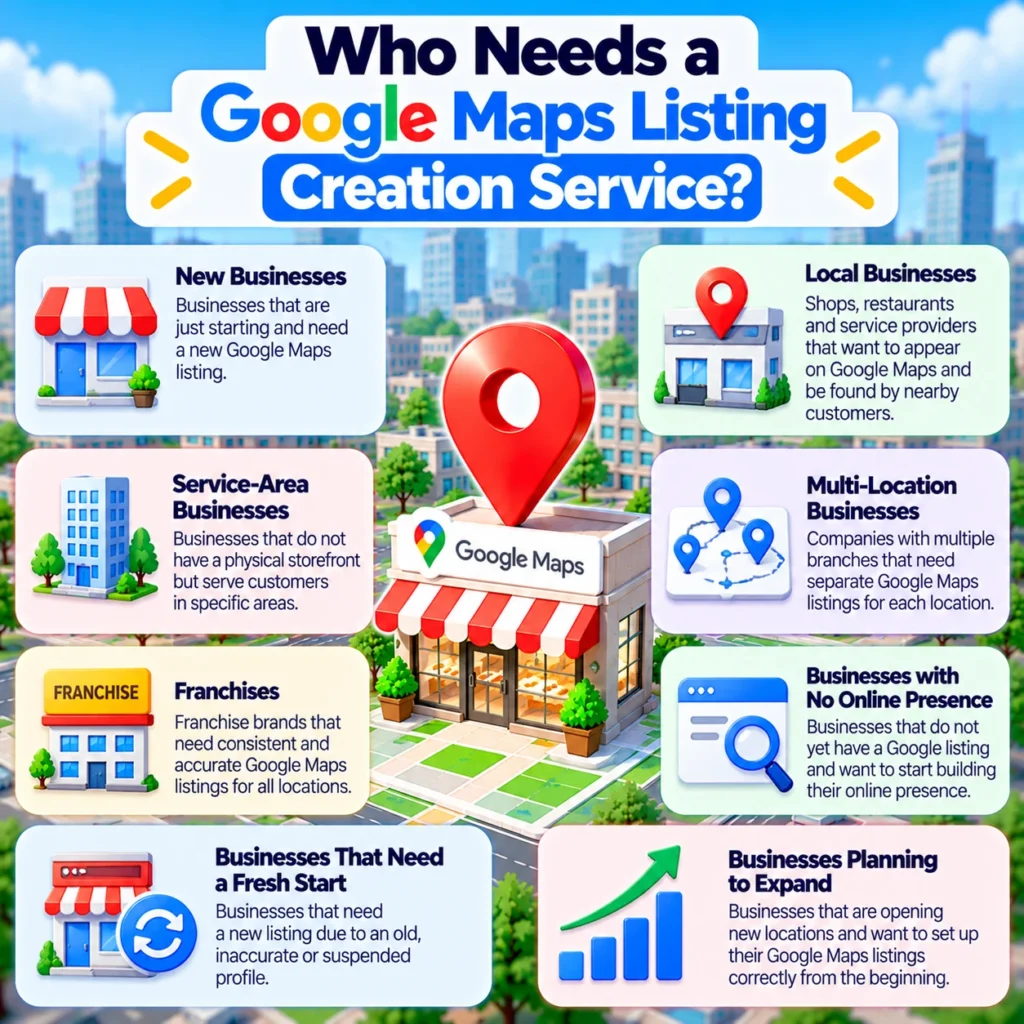
Our Google Business Profile setup service may be suitable for businesses that meet Google’s eligibility requirements but need assistance establishing their presence on Google.
New Local Businesses
A newly opened business may need to establish its Google Maps presence for the first time.
Examples include:
- Restaurants and cafés
- Retail stores
- Local professional offices
- Repair shops
- Beauty and personal-care businesses
- Other eligible customer-facing businesses
We help organize the business information and configure the initial profile.
Businesses That Have Never Created a Google Business Profile
Some established companies have operated for years without claiming their business presence on Google.
If no profile exists for the business, a new setup may be appropriate after checking eligibility and existing listings.
Service-Area Businesses
Businesses that visit customers rather than receive them at a storefront may also qualify for a Google Business Profile.
Examples include:
- Plumbing services
- Cleaning companies
- Home repair services
- Pest control businesses
- Mobile repair services
- Other eligible service providers
The profile must accurately reflect the way the business operates, including the appropriate service-area configuration.
Businesses Expanding to New Locations
Companies opening additional physical locations may need to establish profiles for their new eligible business locations.
Each location must meet Google’s requirements and represent a genuine business operation.
We can help review the information and setup requirements for each location.
Businesses That Need Help With an Existing Listing
Not every setup request involves creating a completely new profile.
Some businesses already have a listing but cannot manage it, have not completed verification, or need help understanding an ownership issue.
In these cases, we first review the existing situation and recommend an appropriate next step.
Google Business Profile Setup vs. Google Maps Optimization
Creating a business listing and optimizing an existing listing are two different services.
Understanding the distinction helps businesses choose the support they actually need.
| Service | Google Business Profile Setup | Google Maps Optimization |
|---|---|---|
| Main objective | Establish a business profile | Improve an existing profile |
| Best suited for | Businesses without a suitable listing | Businesses with an existing listing |
| Business eligibility review | Yes | Reviewed when relevant |
| New profile creation | Included where appropriate | Not the main objective |
| Existing listing audit | Initial duplicate and ownership checks | Detailed profile audit |
| Business information | Initial configuration | Review and improvement |
| Category selection | Initial category setup | Category assessment and refinement |
| Address and service area | Initial configuration | Review and adjustment |
| Local keyword strategy | Not the main focus | May be included |
| Website local SEO | Not the main focus | May be included |
| Ongoing performance work | Not automatically included | May be included depending on scope |
If you do not yet have a suitable Google Business Profile, our setup service may be the right starting point.
If you already have an established profile and want to improve its local search performance, explore our Google Maps SEO and optimization services.
Why Choose MapRepute for Google Business Profile Setup?
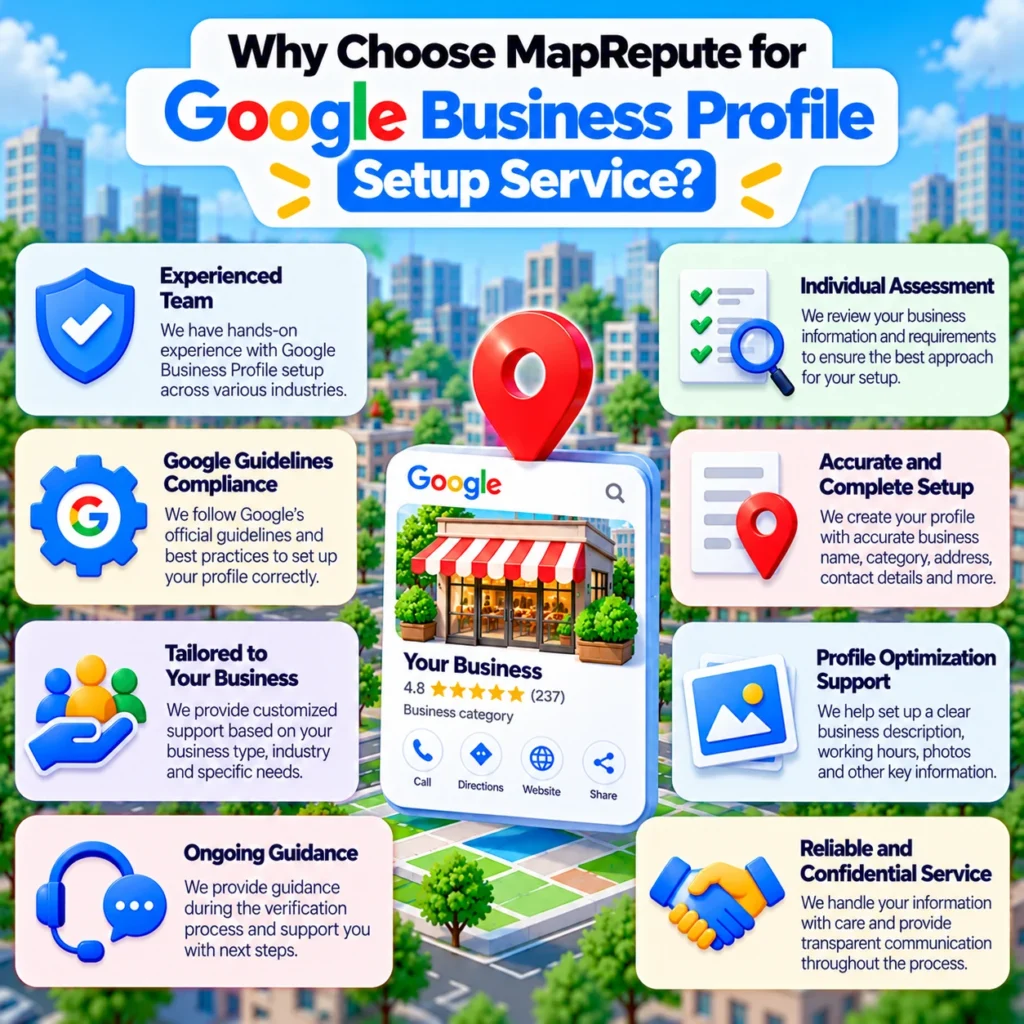
Choosing a provider to help establish your business presence on Google involves more than finding someone who can enter information into a form.
The setup should reflect your actual business, follow Google’s applicable requirements, and leave you with an appropriate ownership arrangement.
A Business-First Setup Approach
We begin by understanding how your business operates.
A storefront, a service-area business, and a hybrid business may require different profile configurations.
We consider these differences before recommending a setup approach.
Attention to Google Guidelines
We focus on accurate business information and appropriate profile configuration.
This includes reviewing business names, categories, locations, service areas, and other information that may affect profile eligibility or compliance.
Our approach is based on legitimate business representation rather than shortcuts that could put a listing at risk.
Existing Listing Checks Before Creation
We do not assume that every setup request requires a new listing.
Checking for existing profiles can help avoid unnecessary duplicates and identify cases where claiming an existing listing or requesting ownership is more appropriate.
Clear Communication
We explain the setup requirements, the information needed from you, and the actions included in the agreed scope.
If we identify a potential eligibility or verification issue, we will explain it rather than promise an outcome that we cannot control.
Appropriate Ownership and Access
Your business should understand who owns and manages its Google Business Profile.
We work toward an arrangement that allows the business owner to retain appropriate control and manage authorized access.
Support Based on Your Business Requirements
Different businesses have different setup requirements.
Our work is organized around your actual business model, location, and the type of profile you need rather than applying the same configuration to every customer.
What Information Do We Need to Create Your Google Maps Listing?
To assess your request and prepare the setup, we may need the following information:
| Information | Why It Is Needed |
|---|---|
| Business name | To identify the real-world business |
| Business website | To understand and confirm the business |
| Business phone number | To configure contact information |
| Business address | To assess location eligibility and configuration |
| Business type | To determine storefront, service-area, or hybrid setup |
| Main products or services | To identify relevant business categories |
| Opening hours | To configure accurate operating information |
| Business photos | To prepare suitable visual content |
| Existing Google listing | To check for duplicates or ownership issues |
Not every business will need to provide every item at the beginning.
We will explain which information is necessary after understanding your specific situation.
Google Business Profile Setup Pricing
Google allows eligible businesses to create or claim a Business Profile at no charge.
MapRepute’s service fee is for professional assistance with the setup process, not a fee charged by Google for creating a listing.
The final service cost depends on the actual work required.
Factors that may affect the scope include:
- Whether a new profile can be created or an existing listing must be claimed
- The complexity of the business location
- Whether the business operates from a storefront or service area
- The amount of business information that needs to be prepared
- Whether multiple locations are involved
- Whether ownership or verification issues require additional guidance
We review these requirements before confirming the service scope.
Contact MapRepute for a quote based on your business and setup needs.
Important: What Our Google Maps Listing Creation Service Does Not Guarantee
We believe businesses should understand what a third-party setup provider can and cannot control.
Google Business Profile is a Google product. Google determines profile eligibility, verification requirements, publication decisions, and the way business information appears across its platforms.
Therefore:
- We cannot guarantee that every business will qualify for a profile.
- We cannot guarantee a specific verification method.
- We cannot guarantee that Google will approve every submitted profile.
- We cannot guarantee a particular position in Google Maps search results.
- We cannot promise a fixed verification or publication timeline.
- We do not create fake locations, misleading business identities, or duplicate listings to manipulate visibility.
Our service focuses on legitimate setup assistance, accurate business information, appropriate configuration, and guidance through the process.
Frequently Asked Questions
1. What is a Google Business Profile setup service?
A Google Business Profile setup service helps eligible businesses establish their business presence on Google Search and Google Maps.
It may include eligibility assessment, existing listing checks, business information preparation, category selection, address or service-area configuration, profile creation, verification guidance, and ownership handover.
2. Is creating a Google Maps business listing free?
Yes. Google allows eligible businesses to add or claim a Business Profile at no charge.
MapRepute charges for professional assistance with the setup process. The service fee is separate from Google’s free profile creation process.
3. Can MapRepute create a Google Maps listing for my business?
MapRepute can help eligible businesses create and configure their Google Business Profiles.
Before proceeding, we review your business information, eligibility, and whether an existing listing already represents your business.
4. Does every business qualify for a Google Business Profile?
No. Google generally requires businesses to interact with customers in person during their stated business hours.
Online-only businesses without eligible in-person customer interactions generally do not qualify.
The business must also follow Google’s business representation and eligibility requirements.
5. Can I create a Google Business Profile without a physical storefront?
Some businesses that travel to customers may qualify as service-area businesses.
For example, a plumber or cleaning company may operate from a central location and provide services at customer locations.
The business must still meet Google’s eligibility requirements. A virtual office or rented mailing address that does not represent an actual operating location is not an acceptable substitute.
6. How long does it take to create a Google Maps listing?
The initial setup time depends on how quickly the business information is available and how complex the configuration is.
Google’s verification and review processes are separate and may take additional time. The available verification methods and processing times are determined by Google, so we do not promise a fixed completion period.
7. Does Google automatically verify a newly created business listing?
No. Google may require the business to complete a verification process.
The available methods depend on Google’s assessment of the business and account. The business owner must follow the verification instructions presented by Google.
8. Can MapRepute guarantee Google Business Profile verification?
No third-party provider can guarantee Google’s verification decision.
MapRepute can help review business information, explain verification instructions, and guide the owner through the process. Google retains control over verification requirements and approval.
9. What if my business already appears on Google Maps?
If an existing profile represents your business, creating another listing may not be appropriate.
Depending on its status, you may need to claim the existing profile, complete verification, or request ownership from the current owner.
We review the situation before recommending a solution.
10. Can I have multiple Google Maps listings for one business?
Google generally allows one profile per eligible business location, subject to specific exceptions.
Businesses with multiple genuine locations may qualify for separate profiles when each location meets Google’s requirements.
Creating additional profiles for the same location simply to increase visibility can violate Google’s guidelines.
11. Will creating a Google Business Profile improve my rankings immediately?
No. Creating a profile does not guarantee immediate ranking improvements or a particular position in Google Maps.
Google’s local search results depend on factors such as relevance, distance, and prominence. Profile creation establishes a business presence; ongoing optimization is a separate activity.
12. Will I own my Google Business Profile after MapRepute creates it?
The business owner should retain appropriate ownership and control of the profile.
MapRepute works with the owner on the setup and access arrangement so that the business can manage its own information and authorized users.
13. Can MapRepute help set up multiple business locations?
Yes, we can review setup requirements for multiple eligible business locations.
Each location must represent a genuine business operation and comply with Google’s guidelines. The appropriate setup depends on the number of locations, their operations, and the available account-management arrangement.
14. What happens if Google rejects my business information?
If Google rejects submitted information, the next step depends on the reason.
We can help review the information, identify potential inconsistencies, and explain possible corrective actions. However, the final decision remains with Google.
15. Is Google Maps listing creation the same as Google Maps SEO?
No.
Google Maps listing creation focuses on establishing a suitable business profile and configuring its initial information.
Google Maps SEO focuses on improving an existing business presence through activities such as profile optimization, local keyword research, website improvements, and other local search strategies.
Get Your Google Business Profile Set Up with MapRepute
A properly established Google Business Profile gives eligible businesses a place to manage their information on Google Search and Maps.
However, the setup needs to reflect the real business, use accurate information, and follow Google’s requirements.
MapRepute helps businesses navigate the setup process, from initial eligibility checks and profile configuration to verification guidance and ownership arrangements.
Ready to establish your business on Google Maps?
Contact MapRepute today. Tell us about your business, and we will review your requirements and explain the appropriate next steps.
MapRepute – Google Maps & Business Profile Services
MapRepute is an independent service provider and is not affiliated with, endorsed by, or officially connected to Google.