

Former employee owns your Google Business Profile and refuses to give your business access? This situation can create serious problems. You may be unable to update business information, respond to customer reviews, manage photos, or control important profile settings.
The problem often occurs when an employee originally created the profile using their personal Google Account and was assigned as its Primary Owner. After leaving the company, that person may still retain control of the listing.
The good news is that there are legitimate ways to regain access. The correct solution depends on the former employee’s current role, whether your business has another Owner, and whether the former employee is willing to transfer ownership.
This guide explains how to identify the ownership problem, remove former employees when possible, request ownership from Google, and protect your Business Profile from similar situations in the future.
Why Does a Former Employee Still Own Your Google Business Profile?
A Google Business Profile is managed through individual Google Accounts. The person who originally created or manages the profile may have been assigned the Primary Owner role.
This can become a problem when the employee leaves without transferring ownership to the business.
Several situations can lead to this issue:
- A former employee created the Business Profile using their personal Google Account.
- The employee was assigned as Primary Owner during the initial setup.
- The company never added another trusted Owner.
- An external marketing agency created the profile and retained ownership.
- The employee left without documenting account access or transferring management responsibilities.
- The business assumed that changing its company email password would automatically remove the former employee.
It is important to understand that access to a company’s email account and ownership of a Google Business Profile are not necessarily the same thing. A former employee may continue to appear in the profile’s access list through their own Google Account.
First, Check the Former Employee’s Role
Before taking action, identify the former employee’s exact role. Google Business Profile has three main access levels: Primary Owner, Owner, and Manager.
| Role | Main permissions | Can the business remove this user? |
|---|---|---|
| Primary Owner | Has the highest ownership authority and can transfer primary ownership | Not through ordinary removal by a Manager |
| Owner | Can manage most profile settings and manage users, subject to role restrictions | An authorized Owner or Primary Owner may be able to remove them |
| Manager | Can perform many everyday profile-management tasks but has fewer administrative permissions | An Owner or Primary Owner can remove them |
A Business Profile can have multiple Owners, but only one Primary Owner at a time.
To check the roles:
- Sign in to the Google Account that currently has access to the Business Profile.
- Open your Business Profile management interface.
- Go to the settings menu.
- Select People and access.
- Review the names, email addresses, and roles of the users listed.
- Identify whether the former employee is a Manager, Owner, or Primary Owner.
Do not assume that the person who created the profile is still its Primary Owner. Check the current access list before deciding what to do.
How to Remove a Former Employee From Your Google Business Profile
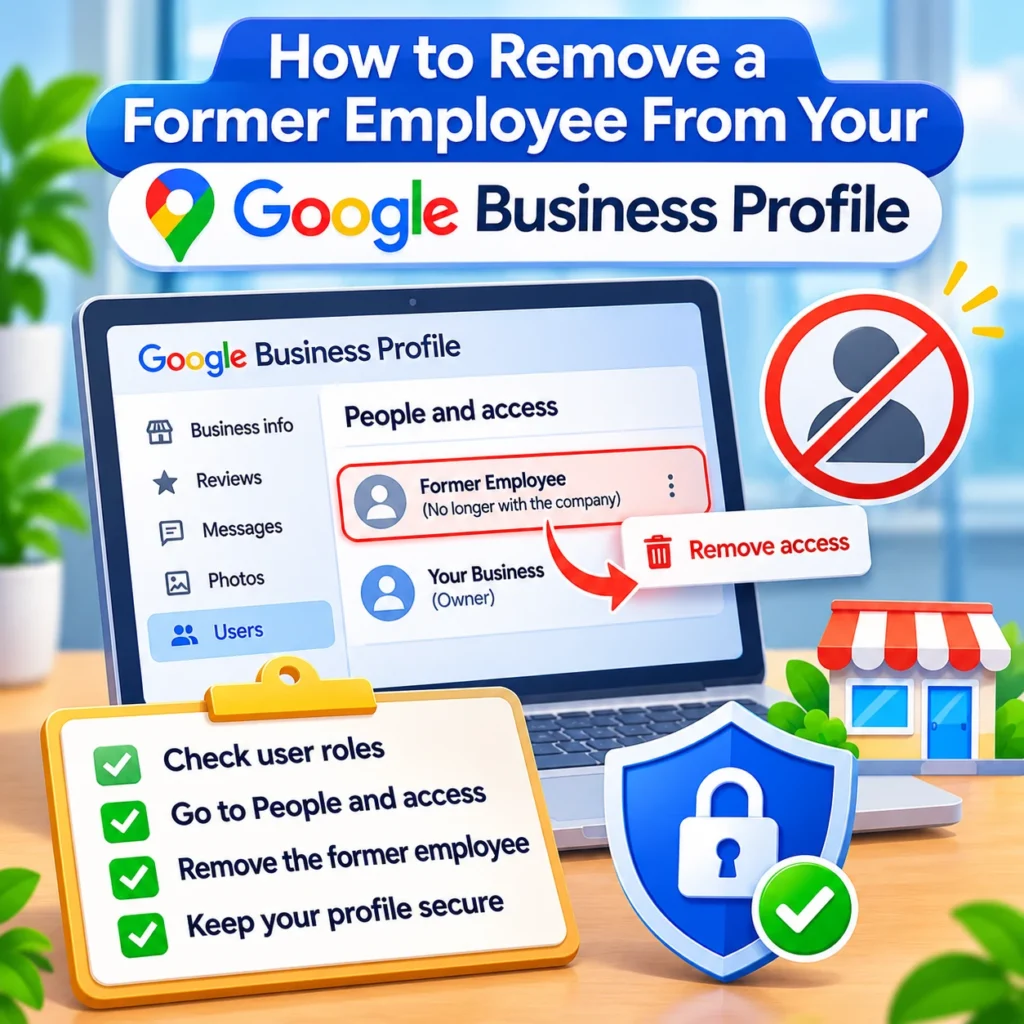
The removal process depends on the person’s role and the access rights available to your business.
Situation 1: The Former Employee Is a Manager
This is generally the easiest situation to resolve.
If your business has an Owner or Primary Owner account, that authorized user can review the access list and remove the former employee.
Steps:
- Sign in using an authorized Owner or Primary Owner Google Account.
- Open the Business Profile settings.
- Select People and access.
- Find the former employee’s account.
- Open the user’s access options.
- Select the option to remove access.
- Confirm the change.
After removal, the former employee should no longer have Manager access to the profile.
Situation 2: The Former Employee Is an Owner but Not the Primary Owner
If the former employee is an Owner, another authorized Owner or the Primary Owner may be able to remove that person.
Before proceeding, confirm that your business has an account with sufficient permissions.
The process is similar:
- Sign in using the Primary Owner or another authorized Owner account.
- Open People and access.
- Locate the former employee.
- Review the available access-management options.
- Remove the account if the available permissions allow it.
If the person is the only Owner or the Primary Owner, the situation requires a different approach.
Situation 3: The Former Employee Is the Primary Owner
This is the most difficult situation.
The Primary Owner has the highest ownership authority. If the former employee is still the Primary Owner and refuses to cooperate, another Manager cannot simply remove that person or transfer primary ownership.
There are two main routes to consider.
Option A: Ask the former employee to transfer ownership
If communication is possible, request that the former employee transfer Primary Ownership to an authorized representative of the business.
The former employee can transfer primary ownership to an existing Owner or Manager, subject to Google’s applicable account and role restrictions.
A written request should clearly explain:
- The employee’s previous relationship with the business.
- That their employment or management responsibilities have ended.
- That the business needs to retain control of its official profile.
- Which authorized business account should receive Primary Ownership.
This is usually the simplest route when the former employee is cooperative.
Option B: Request ownership through Google
If the former employee does not respond or refuses to transfer ownership, the business may be able to submit an ownership request through Google’s official process.
For eligible storefront or hybrid businesses:
- Visit
https://business.google.com/add. - Search for the business name and address.
- Select the existing Business Profile.
- Follow the prompts to request access or ownership.
- Submit the request using an authorized business Google Account.
- Wait for the current profile owner to respond.
Google generally gives the current owner three days to respond to an ownership request.
Depending on the response and the profile’s eligibility, you may receive an option to claim or verify the profile if the request is not answered. This option is not guaranteed in every case.
If the request is denied, Google may provide an appeal or other available next steps.
Do not create a duplicate Business Profile while trying to resolve the ownership dispute. A duplicate listing can create additional problems rather than solve the original access issue.
What If the Former Employee Does Not Respond?
A former employee may have left the company, changed contact information, or simply stopped responding.
In this situation, the business should not assume that the profile is permanently lost.
Start by checking whether another authorized Owner still has access. If so, that account may be able to manage users and transfer ownership where permitted.
If no authorized Owner can resolve the issue, use Google’s ownership request process when the profile and business are eligible.
Prepare information that can help establish your relationship with the business, such as:
- Business registration or licensing documents, where applicable.
- Evidence that the requester represents the business.
- Business address and contact information.
- Official website and business email details.
- Other relevant documentation requested during Google’s process.
The exact documents and verification steps depend on the case. Do not submit altered, misleading, or fabricated evidence.
What If a Former Employee’s Google Account Has Been Disabled?
A different problem occurs when the former employee’s Google Account has been disabled or restricted.
This is not necessarily the same as a Business Profile ownership dispute. The account may have restrictions that affect its ability to access or manage the profile.
The business should first determine whether the issue concerns:
- The former employee’s individual Google Account.
- The Business Profile itself.
- A suspension or restriction affecting the profile.
- The business’s own Google Account and its access permissions.
These issues may require different recovery procedures.
If the business’s own Google Account or Business Profile has been disabled, see our Google Business Profile Disabled Recovery Service for assistance with account and profile recovery issues.
Can You Recover Ownership Without the Former Employee?
Sometimes, yes. However, recovery is not automatic.
If your business is eligible, Google’s ownership request process may provide a route to request access without relying on the former employee to initiate a transfer.
The result depends on Google’s review, the profile’s eligibility, the current ownership status, and the information submitted.
Keep these points in mind:
- A Manager cannot independently override the Primary Owner.
- Changing the business email password does not automatically remove another person’s Google Account from the access list.
- Google may require additional verification.
- An ownership request does not guarantee that access will be granted.
- The business should not create a duplicate listing to bypass the existing ownership arrangement.
The most appropriate route should be determined from the actual access configuration rather than assumptions about who originally created the profile.
How to Prevent Former Employees From Keeping Ownership
The best way to avoid this problem is to establish clear ownership and access procedures before employees leave.
1. Keep Primary Ownership Under Business Control
The business owner or an authorized long-term representative should retain Primary Ownership.
Avoid leaving the only Primary Owner role with a temporary employee, contractor, or external agency.
2. Add Another Trusted Owner
Where appropriate, add another authorized business representative as an Owner.
This helps reduce the risk of the company losing all administrative access when one person leaves.
3. Review Access Regularly
Periodically check the People and access section.
Remove former employees, contractors, and agencies when their responsibilities end and their access is no longer required.
4. Include Profile Access in Employee Offboarding
When an employee leaves, include Google Business Profile access in the company’s offboarding checklist.
Confirm:
- Who holds Primary Ownership.
- Which employees have Owner or Manager access.
- Whether access should be transferred.
- Whether former employees should be removed.
- Whether the business has retained control of the profile.
5. Avoid Sharing Google Account Passwords
Each person should use their own authorized Google Account.
Sharing passwords creates security risks and makes it harder to identify who is responsible for profile changes.
When Should You Get Professional Help?
Some ownership situations are straightforward. Others involve several overlapping problems, such as an unresponsive former employee, missing administrative access, account restrictions, or an unsuccessful ownership request.
Professional assistance may be useful when:
- Your business cannot identify the current Primary Owner.
- A former employee refuses to transfer ownership.
- No current business representative has Owner access.
- Your ownership request has been denied.
- The profile has additional account or policy restrictions.
- You need help understanding which recovery route is appropriate.
MapRepute is an independent service provider. We can review the situation, help identify available options, and provide guidance based on the information and procedures applicable to your case. Google retains control over its ownership decisions and verification processes.
For assistance, visit MapRepute and describe your Business Profile ownership problem.
Frequently Asked Questions
Can a former employee keep ownership of a Google Business Profile?
A former employee may remain listed as the Primary Owner, Owner, or Manager after leaving the company if their access has not been changed. The business should review the access list and follow the appropriate removal or ownership-request process.
Can I remove a former employee if they are the Primary Owner?
A Manager cannot simply remove the Primary Owner. The usual options are to ask the Primary Owner to transfer ownership or submit an ownership request through Google when eligible.
How long does a Google Business Profile ownership request take?
Google generally gives the current owner three days to respond to an ownership request. The overall process may take longer if additional verification, an appeal, or further review is required.
Can I transfer Primary Ownership to another employee?
Yes. The current Primary Owner can transfer Primary Ownership to an eligible existing Owner or Manager, subject to Google’s applicable restrictions.
Will changing the company email password remove the former employee?
No. Changing the password of a company Google Account does not automatically remove a former employee’s separate Google Account from the Business Profile access list.
Should I create a new Business Profile if I cannot access the old one?
No. Do not create a duplicate profile simply to bypass an ownership problem. First investigate the existing listing and use the appropriate ownership or recovery process.
Can MapRepute guarantee that my business will regain ownership?
No service provider can guarantee Google’s ownership decision. MapRepute can review the situation and help identify appropriate next steps, but Google controls its own verification and access decisions.
Need Help Regaining Control of Your Google Business Profile?
A former employee retaining Primary Ownership can leave your business without control over an important online business asset.
The right solution depends on the current access roles, whether another authorized Owner exists, and whether Google provides an ownership-request route for your situation.
MapRepute can help review the ownership problem, identify the available options, and guide you through the appropriate next steps.
Contact MapRepute: https://maprepute.com/
- Individual case assessment.
- Confidential handling of business information.
- Guidance based on the applicable Google procedures.
- No guarantee of Google’s final decision.
