

Why is my business not showing on Google Maps? If customers cannot find your business, or your Google Business Profile has suddenly disappeared from search results, the first step is to identify what is actually wrong.
A business may be missing from Google Maps because its profile has not been created, verification is incomplete, the listing has been suspended or disabled, or the business does not meet Google’s eligibility requirements. In other situations, the profile is still active but does not appear for particular searches because of how Google’s local search results work.
These are different problems, and they require different solutions.
This guide explains the most common reasons a business does not appear on Google Maps, how to diagnose the issue, and what to do next without creating unnecessary duplicate listings or making changes that could cause further problems.
First, Understand What “Not Showing on Google Maps” Means
Before changing anything, determine whether your business profile is completely missing or simply not appearing for certain searches.
These two situations should not be treated as the same problem.
Situation 1: Your Business Does Not Appear at All
You search for your exact business name and location on Google Maps, but no listing appears.
Possible explanations include:
- You have not created a Google Business Profile.
- Your profile has not completed verification.
- Google is still reviewing your profile or a recent change.
- Your profile has been suspended or disabled.
- Your business does not meet Google’s eligibility requirements.
- Your listing has been removed, merged, or affected by a duplicate-profile issue.
In this situation, investigate the profile’s existence and status before focusing on ranking improvements.
Situation 2: Your Business Appears by Name but Not for Service Searches
For example, you can find your restaurant by searching its exact name, but it does not appear when searching for “Italian restaurant near me.”
This does not automatically mean your profile is broken.
Google’s local results depend on factors such as relevance, distance, and prominence. Your business may appear for some searches but not others, depending on the search terms and the searcher’s location.
The distinction matters because improving search visibility is different from recovering a missing or restricted profile.
How to Check Whether Your Business Profile Is Really Missing
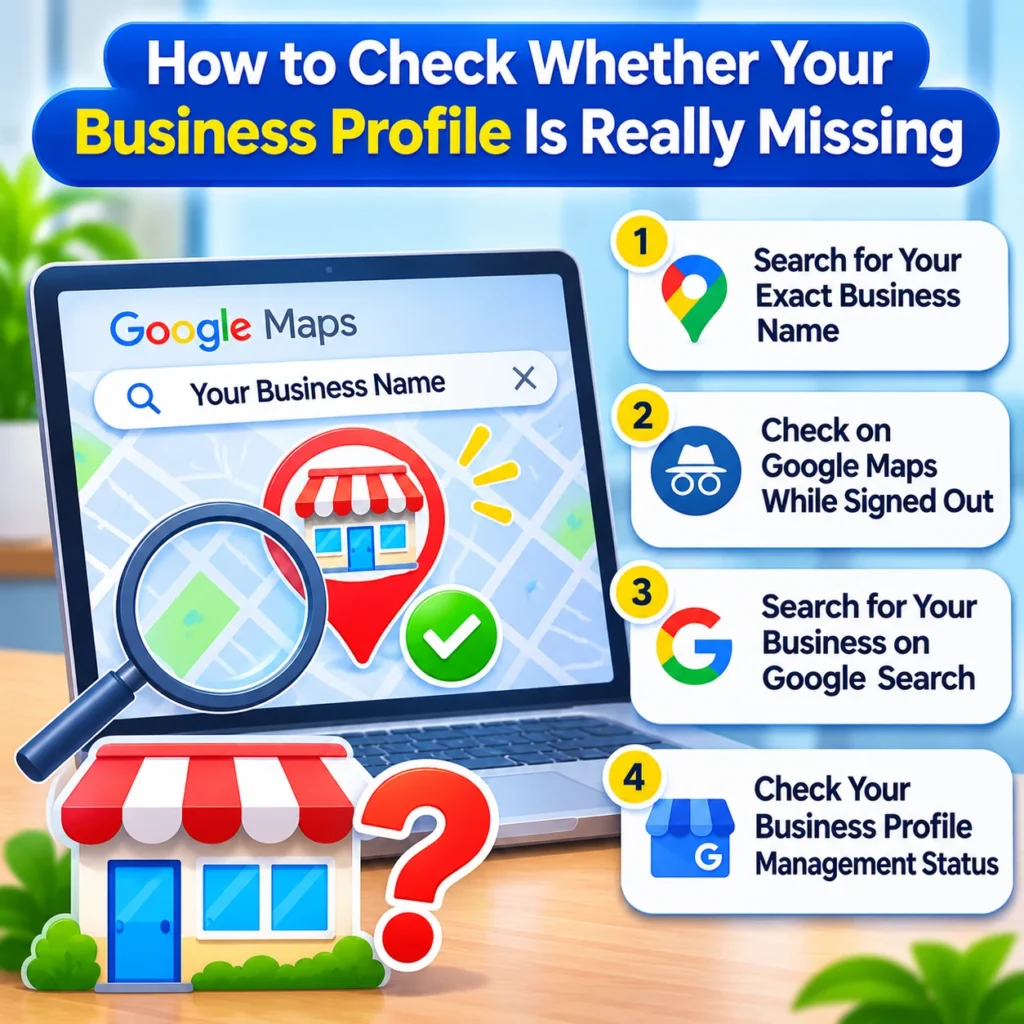
Start with a few simple checks before attempting any recovery process.
1. Search for Your Exact Business Name
Open Google Maps and search for your business name together with its city or neighborhood.
For example:
- Business name + New York
- Business name + Chicago
- Business name + Los Angeles
Use the exact name that customers recognize and that your business uses in the real world.
If the listing appears, open it and check whether the address, phone number, website, and business status are correct.
2. Check Google Maps While Signed Out
Your experience may differ depending on whether you are signed in to the Google Account that manages the profile.
Try searching in a private or incognito browser window. You can also use a different device or account.
This helps you distinguish between a profile that is accessible to its managers and one that is publicly visible.
3. Search for Your Business in Google Search
Search for your exact business name and city on Google Search.
If your Business Profile appears in Search but not in the Maps app, check whether the problem is related to the search interface, the specific query, or the information displayed.
Do not immediately assume that the profile has been suspended.
4. Check Your Business Profile Management Status
Sign in to the Google Account that manages your business.
Open the Business Profile management interface and look for any notices or status messages relating to:
- Verification.
- Pending review.
- Suspension.
- Disabled status.
- Account restrictions.
- Required actions.
The status shown to the owner can help identify which troubleshooting route is appropriate.
10 Reasons Why Your Business Is Not Showing on Google Maps
Once you have checked whether the listing exists, work through these possible causes.
1. You Have Not Created a Google Business Profile
One simple reason a business does not appear on Google Maps is that no Business Profile has been created for it.
Having a website, social media account, business registration, or physical storefront does not automatically mean a Google Business Profile exists.
If you have never created or claimed a profile, search for the business name and address first. Another person may already have created a listing.
If no existing profile is available, you can start the creation process through Google’s Business Profile platform.
Before creating a new listing, make sure that the business meets Google’s eligibility requirements.
A Business Profile is intended for businesses that make in-person contact with customers during their stated hours. Online-only businesses and certain other business types are not eligible.
What to do:
- Search Google Maps for your business name and address.
- Check whether an existing listing already represents your business.
- Confirm that your business is eligible.
- Create or claim the appropriate profile.
- Complete the required verification process.
If you need assistance creating and configuring a new listing, see our Google Business Profile Setup Services.
2. Your Google Business Profile Has Not Been Verified
Verification is an important step in making your Business Profile eligible to appear publicly.
If your profile is unverified or verification is still pending, its information may not be publicly available as expected.
The available verification methods depend on the business, its location, and Google’s verification requirements. Google may offer video verification, phone, email, live video, or another available method.
What to do:
- Sign in to the Google Account associated with your profile.
- Open your Business Profile.
- Check whether Google requests verification.
- Follow the verification method provided.
- Complete all requested steps and wait for Google’s review.
Do not assume that every business can choose its preferred verification method. Use the method Google makes available for your particular profile.
If you have completed verification but the profile is still not visible, check its current status before repeating the process.
3. Your Profile Is Still Under Review
Sometimes a business owner completes verification or updates profile information but does not see the expected result immediately.
Google may need time to review the information before publishing it.
This can happen after:
- Creating a new Business Profile.
- Completing verification.
- Changing the business name.
- Updating the address.
- Changing the primary category.
- Submitting other significant profile edits.
The time required depends on the type of review and the specific situation. Some changes may take several days to appear.
What to do:
- Check whether the profile shows a pending or review status.
- Look for notifications or requests for additional information.
- Confirm that the submitted business information is accurate.
- Avoid repeatedly submitting the same changes.
- Wait for the relevant review to finish before making unnecessary additional edits.
Repeatedly changing important information while a profile is being reviewed can make it harder to understand what caused the problem.
4. Your Google Business Profile Has Been Suspended
A suspended Business Profile may no longer be visible to the public on Google Maps and Search.
Suspensions can occur when Google identifies issues involving business information, eligibility, ownership, or compliance with its policies.
Possible warning signs include:
- A suspension notification in the management interface.
- Loss of public visibility.
- Restrictions on profile management.
- A notice that the profile does not comply with Google’s guidelines.
A suspension is different from a normal visibility problem.
For example, if your listing appears when searching for your business name but does not appear for a competitive service keyword, that alone is not evidence of suspension.
What to do:
- Sign in to the account that manages the profile.
- Check for a suspension notification.
- Review the business information and identify possible policy issues.
- Correct genuine problems before submitting an appeal.
- Prepare relevant supporting evidence.
- Follow the available reinstatement process.
Do not create another Business Profile to replace a suspended listing. Doing so may create additional policy and duplicate-profile problems.
If your listing is confirmed as suspended, see our Google Business Profile Suspension Recovery Service.
For a more detailed explanation, read Why Was My Google Business Profile Suspended?.
5. Your Google Business Profile Has Been Disabled
A disabled profile is another possible reason your business information is missing from Google Maps.
Although suspension and disabled status can involve related policy or account problems, they should not automatically be treated as identical situations.
The issue may involve the Business Profile itself or restrictions affecting the Google Account associated with it.
Start by checking the exact status displayed in your account.
What to do:
- Determine whether the restriction applies to the Google Account or the Business Profile.
- Check whether other profiles managed by the same account are affected.
- Review any notification or restriction message.
- Identify the appropriate recovery procedure.
- Avoid creating duplicate listings while the issue is unresolved.
If your profile or associated account has been disabled, our Google Business Profile Disabled Recovery Service can help assess the situation and identify possible next steps.
6. Your Business Does Not Meet Google’s Eligibility Requirements
Not every company, organization, or online business qualifies for a Google Business Profile.
Google generally requires an eligible business to make in-person contact with customers during its stated business hours.
Examples of potentially ineligible situations include:
- Online-only businesses without qualifying in-person customer contact.
- Lead generation companies.
- Businesses using a virtual office without operating at that location.
- Businesses listing a remote mailbox or P.O. Box as their business address.
- Organizations or entities that do not meet Google’s Business Profile eligibility requirements.
A business may have a professional website and legitimate commercial activity but still not qualify for a Business Profile.
What to do:
Review the actual way your business operates.
If customers visit your location, make sure the location is genuinely staffed and able to receive customers during the stated hours.
If you travel to customers instead, determine whether your business qualifies as a service-area business and configure the profile accordingly.
Do not use a virtual office, rented mailbox, or misleading address simply to obtain a Google Maps listing.
7. Your Business Has a Duplicate Google Business Profile
Duplicate listings can create confusion and affect how business information appears on Google Maps and Search.
For example, a business may have:
- An older listing created by a previous employee.
- A second listing created by the current owner.
- Multiple profiles for the same physical location.
- A listing created by an agency without the business owner’s knowledge.
Google’s guidelines generally allow one profile per business location, subject to specific exceptions.
If multiple listings represent the same business, Google may treat them as duplicates or otherwise affect how the information is displayed.
What to do:
- Search Google Maps for the business name and address.
- Identify all listings that may represent the same business.
- Check which profile contains the correct business information and customer history.
- Review ownership and access to each listing.
- Follow the appropriate duplicate-resolution process.
Do not immediately delete an older listing simply because another one looks newer. First determine which profile should represent the business.
If another person or former employee controls the existing listing, read our guide on What to Do When a Former Employee Owns Your Google Business Profile.
8. Your Business Information Does Not Follow Google’s Guidelines
Google expects Business Profiles to represent real businesses accurately.
Incorrect or misleading information can cause profile edits to be rejected, information to be changed, or access to be restricted in more serious cases.
Common issues include:
- Adding unnecessary keywords to the business name.
- Using a business name that does not match real-world branding.
- Providing an inaccurate address.
- Selecting unrelated business categories.
- Using an address where the business does not operate.
- Creating multiple profiles for the same location.
- Providing misleading business information.
For example, a company named “ABC Plumbing” should not automatically change its profile name to “ABC Plumbing Best Emergency Plumber 24/7 New York” unless that wording genuinely represents its real-world business name.
Business names should reflect how the business is consistently represented to customers.
What to do:
Review your profile carefully.
Check the business name, address, categories, contact information, and service-area settings. Correct information that does not accurately represent the real business.
Avoid making unnecessary changes to multiple fields at once. Focus on genuine inaccuracies and keep supporting documentation where appropriate.
For more information about common compliance problems, read Google Business Profile Guideline Violations.
9. Your Business Address or Service-Area Settings Are Incorrect
Location information plays an important role in how Google understands and displays a business.
An incorrect address, improperly configured service area, or misleading location can create problems with a Business Profile.
This is particularly important for service-area businesses.
For example, a plumber who travels to customers may operate from a residential address. If customers do not visit that address, the business should generally hide it and configure its service area appropriately.
A business that receives customers at its premises should provide an accurate location and meet the applicable requirements.
What to do:
- Check that the listed address matches the real business location.
- Confirm that the map pin points to the correct place.
- Check whether your business should display its address or hide it.
- Review your service-area configuration.
- Make sure the business actually operates in the areas it lists.
Do not add multiple addresses or service areas simply to try to appear in more locations.
10. Your Business Appears on Google Maps but Has Limited Search Visibility
This situation is often misunderstood.
A business may have an active, verified Business Profile and still fail to appear when customers search for a particular product or service.
For example:
- Your dental clinic appears when people search for its exact name.
- It does not appear for every search involving “dentist near me.”
- Your restaurant appears for its brand name but not for a broad restaurant category.
- Your company appears in one neighborhood but not in distant areas.
This does not necessarily indicate a technical problem.
Google’s local search results are influenced by three broad factors:
Relevance: How well the business matches what someone is searching for.
Distance: How far the business is from the searcher or the location specified in the search.
Prominence: How well-known or established the business appears to be, based on information Google can evaluate.
These factors help explain why a business may appear for one search but not another.
What to do:
- Select accurate primary and additional categories.
- Keep business information complete and up to date.
- Describe your actual products and services clearly.
- Maintain accurate opening hours and contact details.
- Use genuine, relevant business photos.
- Encourage authentic customer feedback without offering incentives or manipulating reviews.
- Make sure your website accurately represents your business and its services.
If your profile is active and the main issue is limited visibility rather than a missing listing, consider our Google Maps SEO Services.
Quick Troubleshooting Table: Why Is Your Business Missing?
Use this table to identify the most likely problem based on what you can see.
| What you notice | Possible cause | Recommended next step |
|---|---|---|
| No listing appears for the business name | No profile or profile not publicly available | Search for an existing listing and check its status |
| Profile asks for verification | Unverified profile | Complete the available verification process |
| Profile shows a pending status | Google review in progress | Check notifications and wait for the review |
| Profile has a suspension notice | Suspended Business Profile | Review policy issues and the reinstatement process |
| Profile or account is disabled | Disabled status or account restriction | Identify which account or profile is affected |
| Two listings represent the same business | Duplicate profile | Investigate the correct listing and ownership |
| Business appears by name but not by category | Limited search visibility | Review relevance, distance, and prominence |
| Address is incorrect or misleading | Location information issue | Correct the address or service-area configuration |
| Business is online-only | Possible eligibility issue | Review Business Profile eligibility |
| Former employee controls the listing | Ownership or access problem | Resolve ownership before making further changes |
How Long Does It Take for a Business to Appear on Google Maps?
There is no single waiting period that applies to every Business Profile problem.
The time depends on what is preventing the business from appearing.
For example:
- A newly created profile may need to complete verification.
- A profile undergoing review may need additional processing time.
- A recent business information edit may take time to appear publicly.
- A suspended profile requires the appropriate reinstatement process.
- A profile with an eligibility or ownership problem may require additional investigation.
Do not apply the waiting period for a normal profile edit to a suspended or disabled profile. Waiting alone will not resolve every problem.
The most important step is to identify the actual status before deciding whether to wait, correct information, verify the business, or request recovery.
What You Should NOT Do When Your Business Is Missing From Google Maps
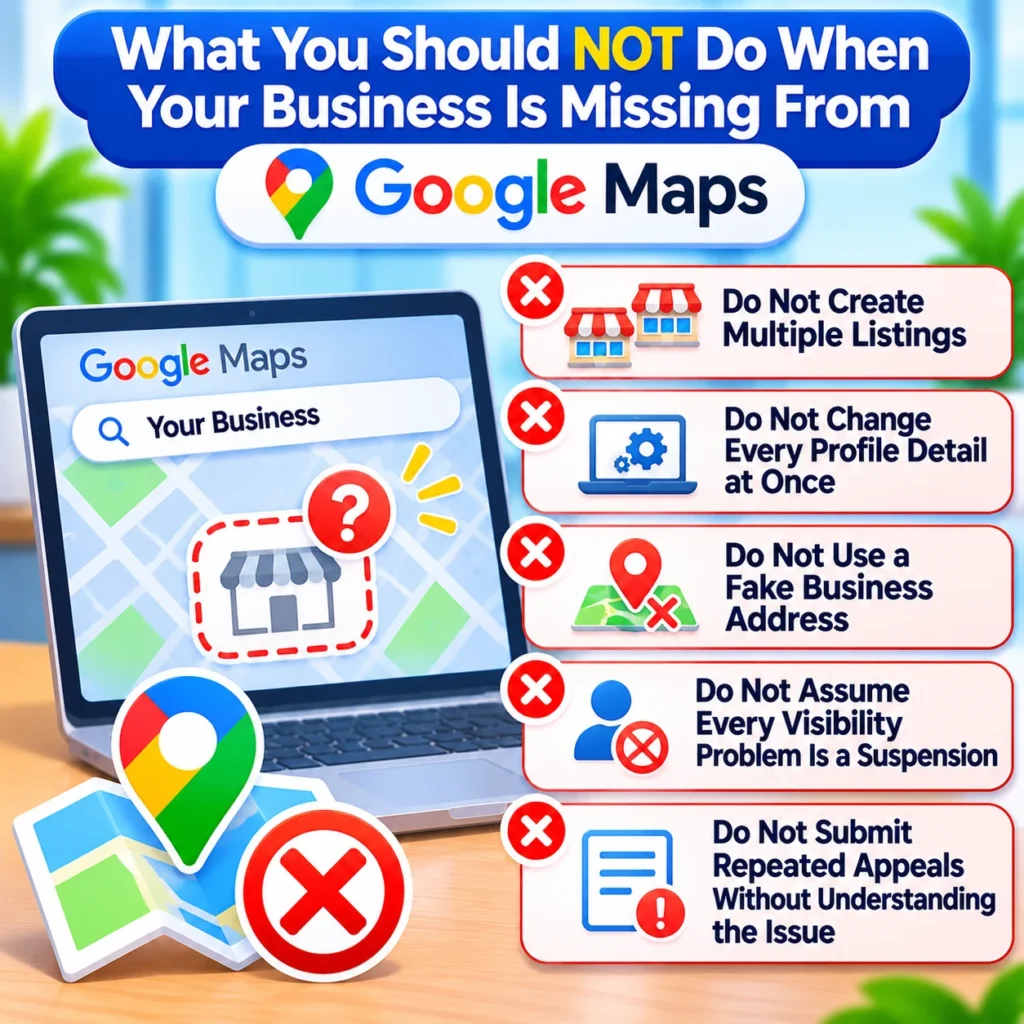
Trying random fixes can make a manageable problem more complicated.
Avoid these common mistakes.
Do Not Create Multiple Listings
Creating another profile to replace a missing or restricted listing can lead to duplicate-profile issues.
First investigate whether an existing listing already represents your business.
Do Not Change Every Profile Detail at Once
Changing the business name, address, category, phone number, and other information simultaneously makes it harder to identify which change caused a problem.
Make necessary corrections based on accurate business information.
Do Not Use a Fake Business Address
A virtual office, remote mailbox, or address where the business does not genuinely operate is not a legitimate shortcut to appearing on Google Maps.
Use a location configuration that reflects how the business actually serves customers.
Do Not Assume Every Visibility Problem Is a Suspension
If your listing is visible by its exact business name but does not appear for a competitive search term, that alone does not establish that Google has suspended your profile.
Check the profile status before starting an appeal or recovery process.
Do Not Submit Repeated Appeals Without Understanding the Issue
If a profile is suspended or disabled, first understand the reason and prepare the appropriate information.
Submitting repeated or poorly supported requests without addressing the underlying issue is unlikely to help.
When Should You Get Professional Help?
You may be able to resolve simple problems yourself, especially when the issue involves incomplete information, a straightforward verification step, or a profile that has not yet been created.
However, professional assistance may be useful when:
- Your profile has disappeared and its status is unclear.
- Google has suspended or disabled the profile.
- Your Google Account has restrictions affecting Business Profile access.
- Multiple listings create an ownership or duplicate-profile problem.
- A former employee or agency controls the listing.
- Your profile remains unavailable after you have completed the appropriate steps.
- Your profile is active but has persistent visibility problems that require a broader review.
The important point is to choose assistance that matches the actual issue.
A suspended profile needs a different approach from an eligible business that has not completed setup. Likewise, an active profile with limited visibility should not automatically be treated as a recovery case.
MapRepute is an independent service provider. We help businesses assess Google Business Profile problems and identify appropriate next steps. Google retains control over its verification, policy enforcement, search results, and final reinstatement decisions.
Frequently Asked Questions
Why is my business not showing on Google Maps even though it is verified?
Verification does not guarantee that a business will appear for every search. Check whether the profile is publicly available, whether it has any restrictions, and whether the search query matches the business. If it appears by exact name but not for broader searches, the issue may involve local search visibility rather than verification.
Why did my business suddenly disappear from Google Maps?
Possible causes include a suspension, disabled profile, account restriction, duplicate listing, significant information change, or an issue with business eligibility. Check your Business Profile management interface for status notifications before making changes.
Can a business appear on Google Maps without a website?
Yes. A website is not a universal requirement for an eligible Google Business Profile. The business must still meet Google’s eligibility requirements and complete the applicable verification process.
Can I add my business to Google Maps for free?
Google Business Profile creation and management are free. You do not need to pay Google to create an eligible Business Profile. You may choose to pay an independent service provider for professional setup or assistance, but that is separate from Google’s free platform.
Why can I see my business on Google Maps but my customers cannot?
Check whether you are signed in to the managing Google Account and compare the results in a private browser window. Also check the exact search query and location. Your business may be visible for its exact name but not for other search terms.
Does a suspended Google Business Profile still appear on Google Maps?
A suspended profile may no longer be publicly visible on Google Maps and Search. Check the profile status in the management interface and follow the applicable reinstatement process.
How do I know whether my Google Business Profile is disabled or suspended?
Check the status and notifications shown in your managing Google Account. Do not rely only on the fact that the listing is missing from public search results. A profile can be missing for reasons unrelated to suspension or disabled status.
Should I delete my old Google Business Profile and create a new one?
Not without investigating the existing listing first. Deleting or duplicating profiles can create additional problems, especially if the original listing has customer reviews, ownership history, or an unresolved restriction.
Can MapRepute help if my business is not showing on Google Maps?
Yes. MapRepute can help assess whether the issue relates to setup, verification, profile restrictions, ownership, or search visibility, and identify the appropriate service or next steps. The final decisions about profile approval, reinstatement, and search display remain with Google.
Need Help Finding Out Why Your Business Is Missing From Google Maps?
A missing Business Profile does not always mean the same thing. The problem could involve verification, eligibility, duplicate listings, suspension, disabled status, ownership, or limited search visibility.
The correct solution starts with identifying the actual cause.
MapRepute can review your situation and help determine which steps are appropriate for your Business Profile.
Contact MapRepute to discuss your issue.
- Individual case assessment.
- Confidential handling of business information.
- Guidance based on the applicable Google procedures.
- No guarantee of Google’s final decision.
